Getting Started
Before getting started with Data Refinery Workbench, understanding how to complete common tasks is essential for use. On this page, a user will learn how to log in and troubleshoot any issues with login activity. See the Data Remediation Strategies page to learn more about Data Refinery Workbench.
Table of contents
How to Log In to Data Refinery Workbench
Depending on the company’s security policies and configuration, there can be multiple ways to access Data Refinery Workbench.
Log In via SSO
Whether a company and its users are linked to Microsoft, Google, Okta, or other platforms, Data Refinery Workbench can be linked to those platforms’ Single Sign-On (SSO) portal for convenient yet secure access.
In the following example, Microsoft 365 is used to explain how to access the Data Refinery site.
-
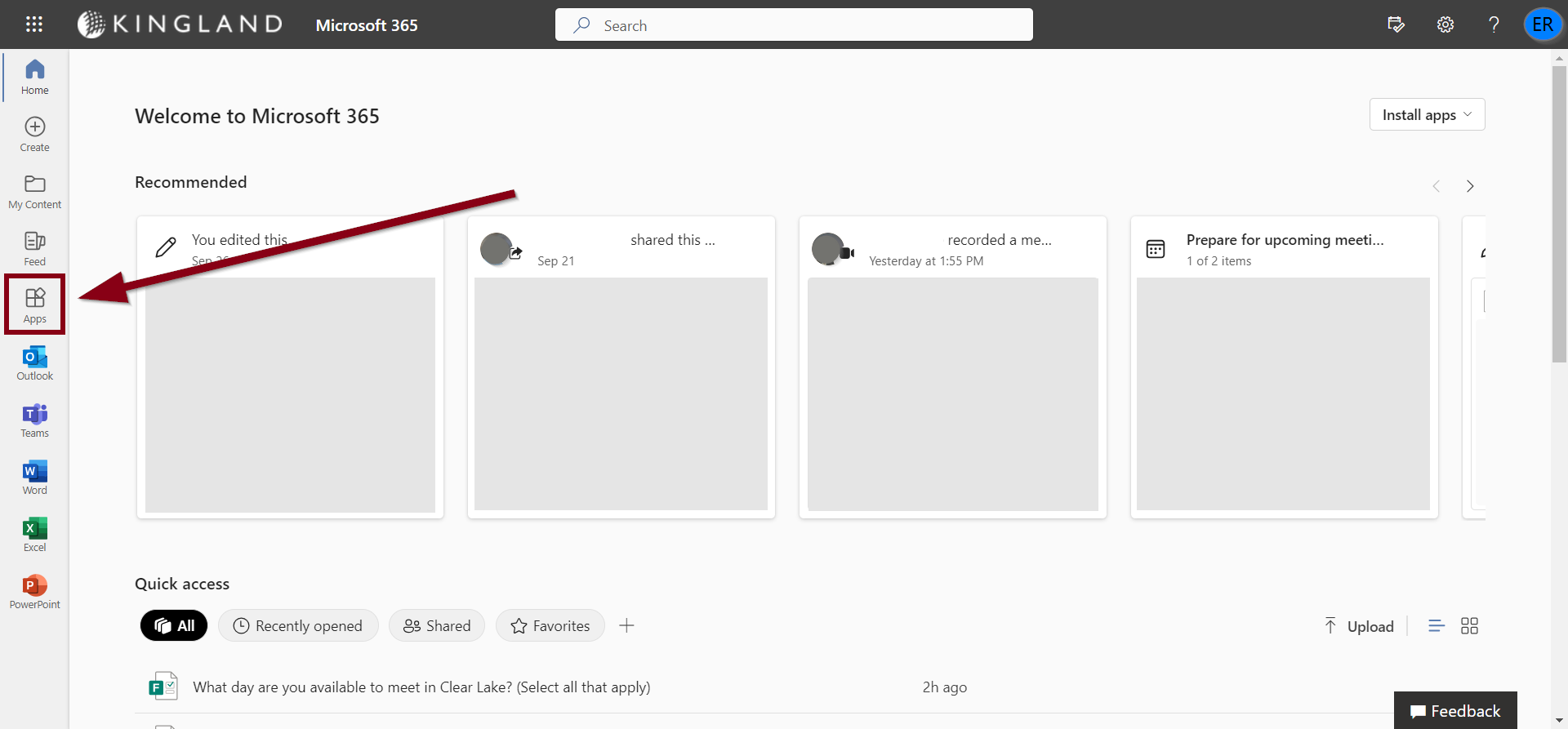
Once logged into Microsoft 365, click the Apps tab in the left navigational column.
-
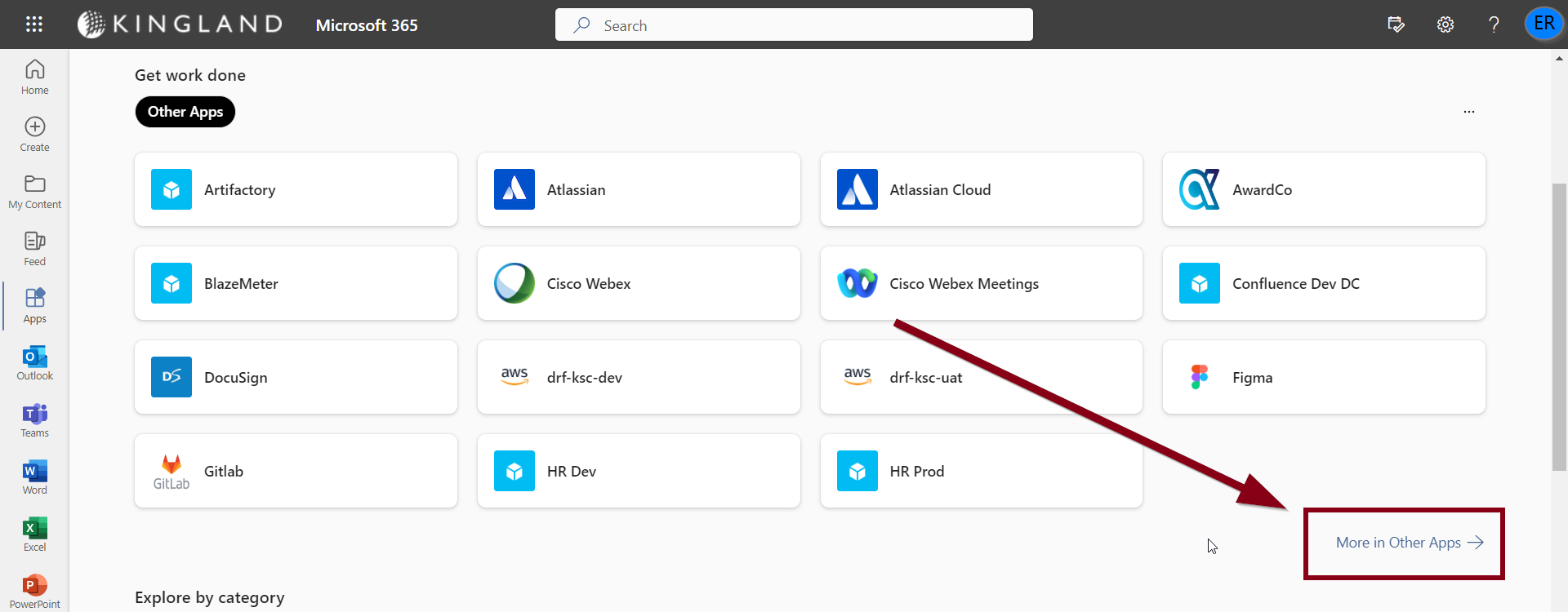
When the Apps page has loaded, scroll and search for Data Refinery Workbench or select More in Other Apps to continue browsing.
-
Select the Data Refinery Workbench app.
Once Data Refinery Workbench is selected, the site should open in a new tab and log in the user automatically.
Log In via SSO Button
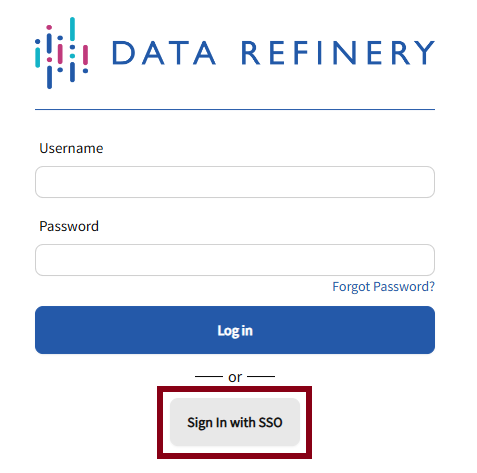
A user can also log in to Data Refinery Workbench by selecting the Sign In with SSO button on the login page.
Select the correct SSO Provider to log in.
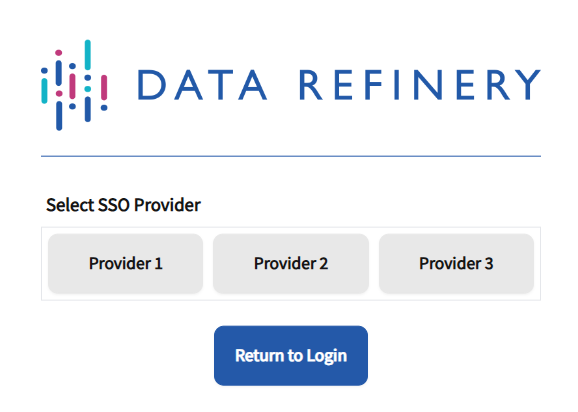
By doing so, Workbench will sign in the user and load the Workflow Definitions page.
Log In With Data Refinery Workbench Username and Password
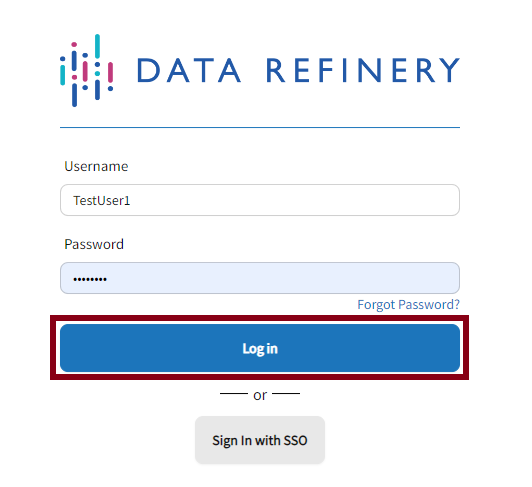
To log in to Data Refinery Workbench without going through SSO, the user will need a username and password.
- Navigate to Data Refinery Workbench.
- Insert the proper Username and Password into the correlating fields.
-
Click Log In.
Note. Only a system administrator or users with the USER_ADMIN permission have the proper access to create new users for Data Refinery Workbench. To learn more, see Permissions and Groups.
Troubleshooting
After extended periods of inactivity, a user must re-authenticate to gain access to Data Refinery Workbench. This would require the user to sign back in or go through the SSO portal. Upon successful login, users will be automatically redirected to their last visited page.
If a user cannot access Data Refinery Workbench, please reach out to a system administrator.